Freight forwarding CRM software from inquiry to margin.
Built as a CRM for freight forwarders, Waybill connects customer relationships, freight quotations, shipment management, documents, invoicing and job profitability—so sales, operations and finance work from one reliable freight job record.
Turn every freight inquiry into a margin-ready quotation.
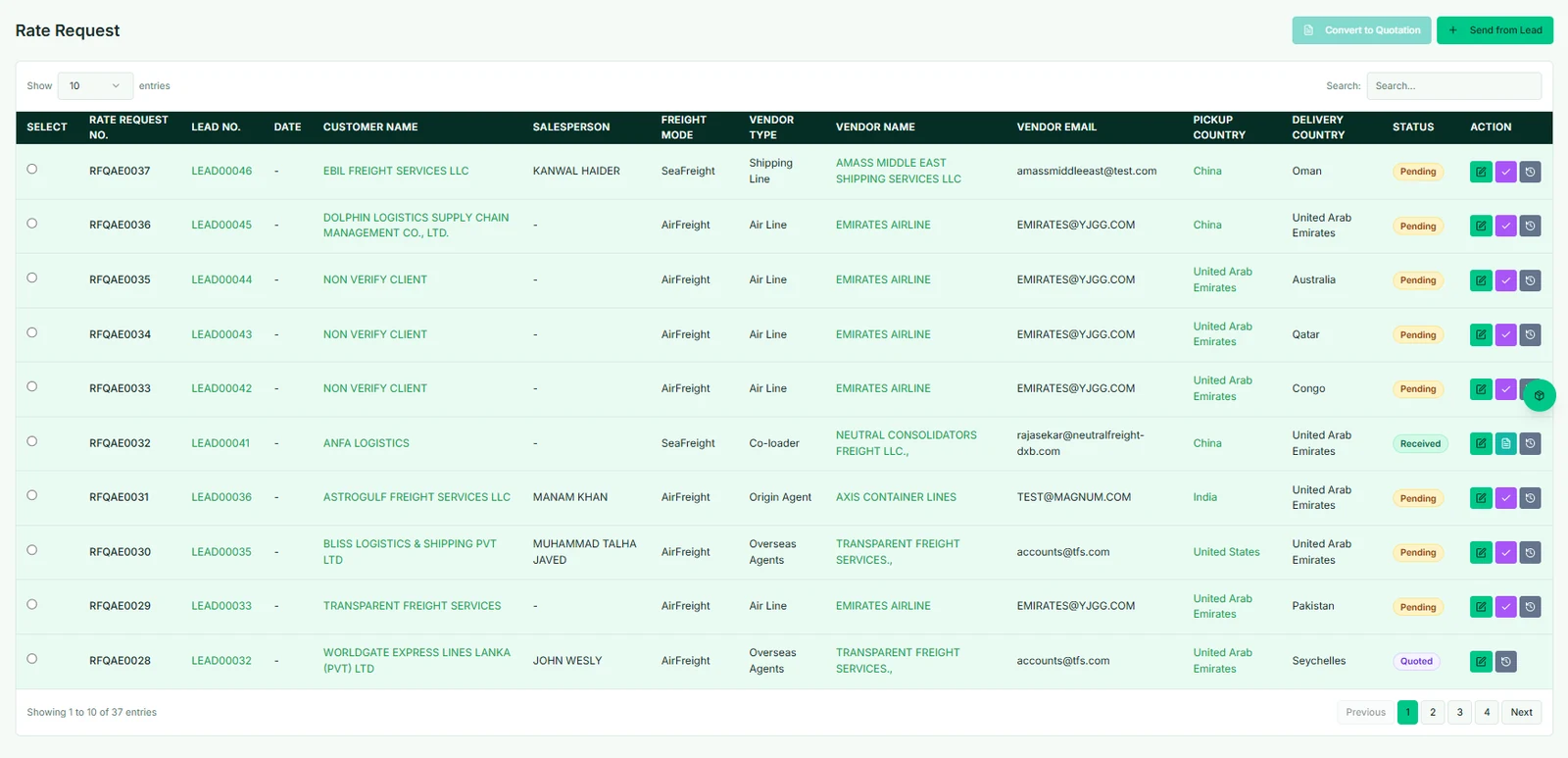
Capture the customer, cargo and trade lane once. Waybill CRM keeps that information connected through buying-rate requests, commercial review and quotation approval, ready for a controlled handover to freight operations.
Sales representativeQualify the customer inquiry
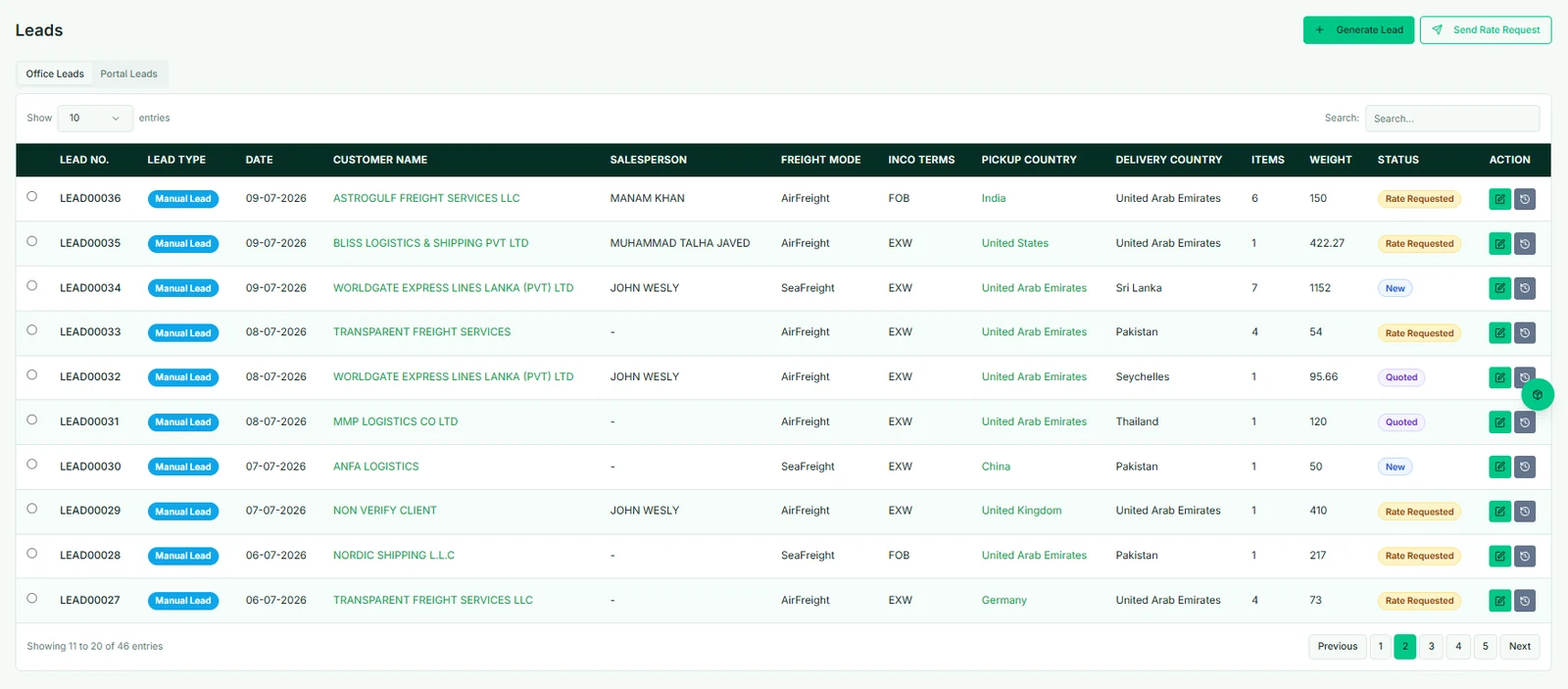
Record the customer, route, cargo profile, shipment mode and key requirements in one lead.
Rate coordinatorCompare buying rates
Send a structured rate request, compare vendor pricing and availability, and keep every response tied to the same inquiry.
Quotation controllerApprove and issue the quotation
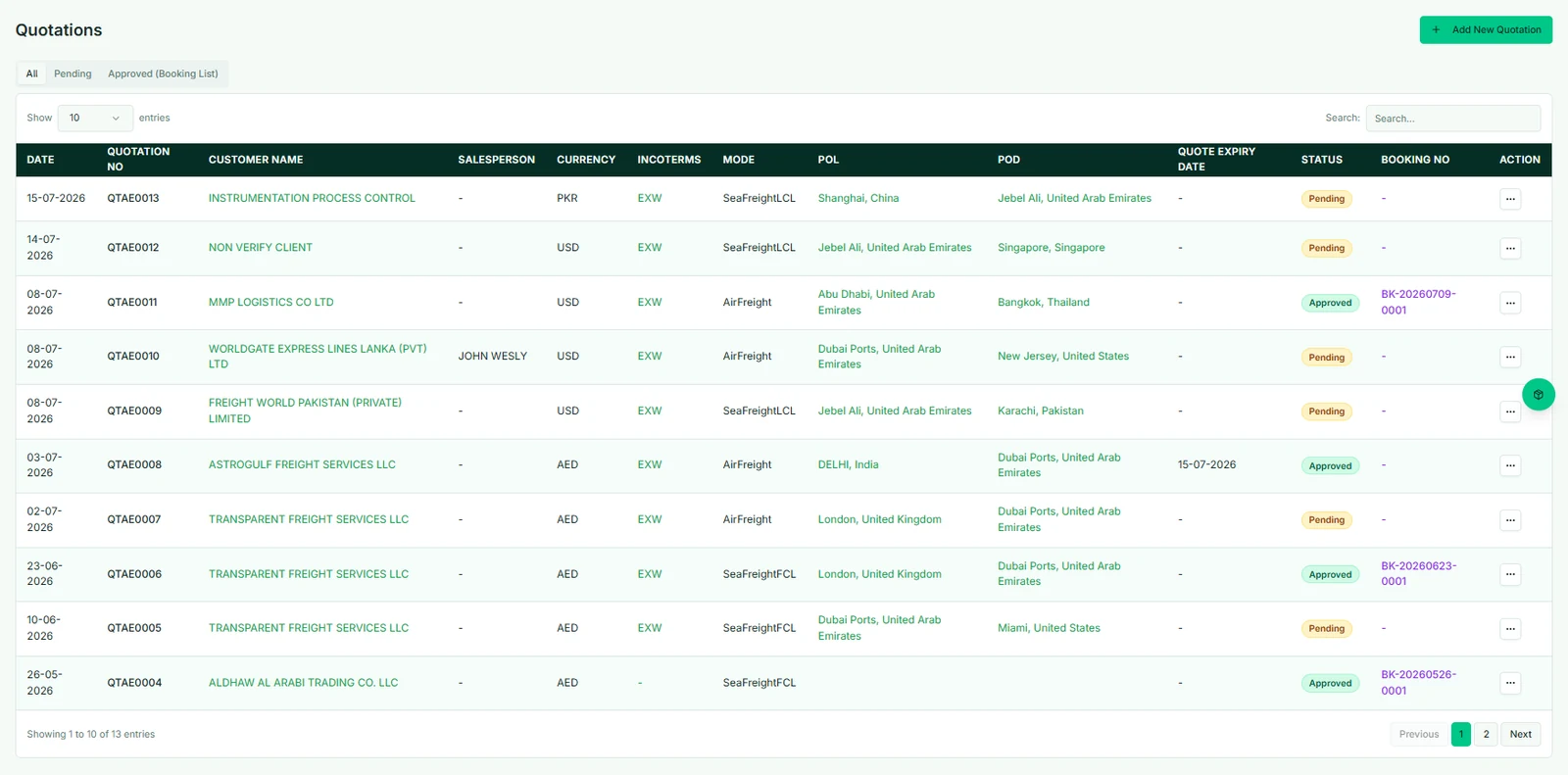
Confirm the selling rate, routing, charges, terms and validity before releasing the approved quotation.
One record from inquiry to margin
See the complete freight forwarding workflow move live.
Waybill CRM carries customer, cargo, route and price data from sales into operations, documentation, customs and finance. Follow each operational handoff as the connected freight record moves live.
One freight job. Connected teams.
From inquiry to shipment, with every handoff in view.
Sales opens the job. Operations, documentation and finance work alongside each other, connected by the same shipment record.
The freight forwarding workflowExplore any card for details
Customer relationshipCustomer inquiryCustomer, cargo, route and ready date.+
Create a lead manually or accept a portal inquiry into the office. Keep contact details, cargo measurements and activity notes together.
Buying & sellingRates & quotationVendor rates, selling charges and terms.+
Build a quotation from a rate request, or create one directly. Track sale and cost currencies, exchange rates, quantities and validity.
Commercial approvalApproved bookingApproval creates a booking number.+
The approved booking list offers conversion to a shipment. Pending or rejected quotations remain in the commercial workflow.
The shared operational recordFreight job createdParties, cargo, routing and quotation charges carry into the shipment.+
One job numberThree connected workstreams
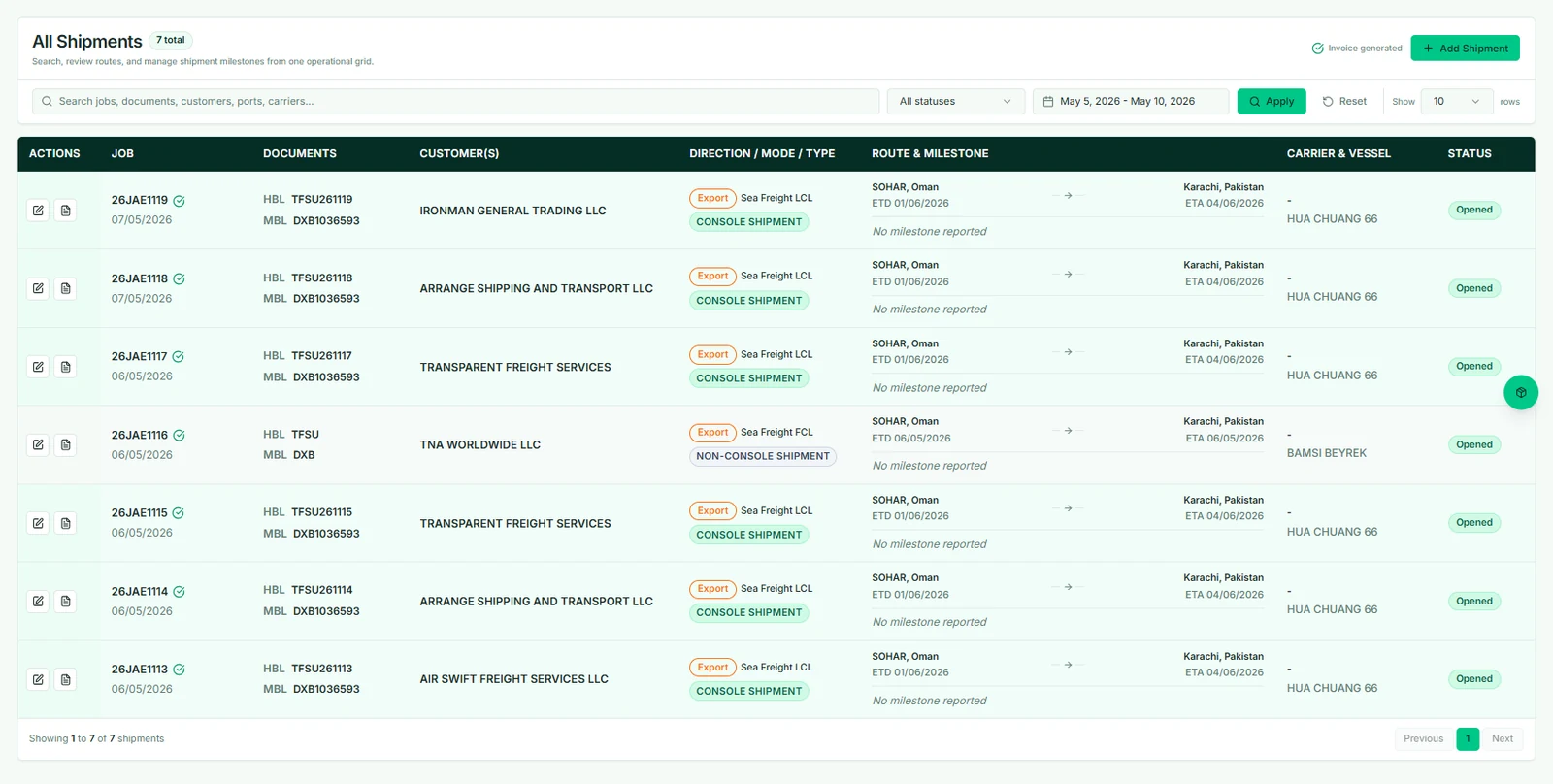
After the shipment is saved, the conversion flow adds parties, sale/cost charges and cargo. FCL cargo becomes container entries; other modes use cargo details. Teams can also create a shipment directly.
Work continues in parallel
Operations
Move & trackFrom the freight jobCargo & routingPlan the movementParties, containers or cargo, carrier, ports and schedule.+
Sea FCL uses container details; LCL, air and other cargo modes use their relevant shipment fields. Routing supports an optional second vessel leg.
Shipment eventsTrack through deliveryTimestamped events, locations and remarks.+
Record gate-in, vessel departure/arrival, rail events, customs clearance, delivery and empty-container return as applicable. An event does not automatically close the job.
Documentation
Prepare & clearFrom the freight jobShipment documentsPrepare the document setHouse/master B/L, attachments and shipment reports.+
Maintain transport document fields and attached files. Generate supported reports from the shipment's structured data.
Customs recordCoordinate clearanceBOE, IGM/EGM, delivery order and filing dates.+
Capture customs references, arrival information and responsible agents. Record clearance separately in the shipment event timeline when it occurs.
Finance
Bill & reconcileFrom the freight jobCharge-level costingSet sale & cost chargesQuantities, currencies, exchange rates and gross profit.+
Each charge holds a sale side and a cost side, with the customer to bill and the vendor. These charges can link to invoice items.
The cost sheet uses invoice snapshots for billed charge sides and costing values for unbilled sides. Unlinked invoice items are shown separately for review.
Operational review & controlled closureReview the job, then close it when appropriate.
Delivery, documents and financial balances remain visible together. Closed jobs are view-only unless the user's role permits editing.
Milestones & exceptions
Every move. A clear next step.
02
Follow the shipment through key events, with the latest location and next responsible team in view.
Illustrative sea freight journeyShanghai — Jebel AliVessel arrival recorded
✓Booked
✓Gate-in
✓Loaded
✓Departed
5Arrival
6Delivered
Latest eventVessel arrivalJebel Ali · destination port
Next actionCustoms clearanceCustoms team
Job costing & margin
See the numbers. Know the margin.
03
Bring revenue and direct costs together, then review gross margin and outstanding balances.
Customer revenue$9,840
Direct job cost$7,120
Gross job margin$2,720
27.6%
Direct costsGross margin
Waybill product tour
See the complete freight forwarding CRM workflow inside Waybill CRM.
Follow one record from customer inquiry and rate request to quotation, shipment execution, documents, invoicing and final margin.
Product walkthrough
From customer inquiry to freight job control.
See how commercial data becomes operational job data while documentation and accounts continue working from the same record.
One freight CRM. The right workspace for every team.
Sales, operations, documentation, finance and administrators each get the tools they need while customer, quotation, shipment and financial data stay connected in Waybill CRM.
01 · Sales
Sales & customer management
Qualify inquiries, request buying rates and issue approved freight quotations with customer, cargo and trade-lane details connected.
Create bills of lading, shipment reports and operational documents directly from structured freight job data.
House B/LMaster B/LCustomsGeneral documentsShipment reportsCargo manifestProof of deliveryCargo arrivalFreight certificateMBL shippingCustoms manifestC BookC List
04
04 · Finance
Job costing & freight accounts
Track sales and purchase invoices, payments, receivables, payables and job margin against each shipment.
Freight CRM software for independent and multi-office forwarders.
Independent forwarders
Replace disconnected spreadsheets, inboxes and chat threads with one searchable freight job record.
Growing multi-office teams
Standardize inquiries, quotations, shipment operations and reporting while keeping each office accountable.
Trade and logistics operators
Coordinate cross-border cargo, shipping documents, charges and partner activity from one operational workspace.
Waybill CRM answers
Waybill CRM questions, answered.
What is freight forwarding CRM software?
Freight forwarding CRM software connects customer accounts, inquiries, buying rates and quotations with shipment operations, documents, invoicing and job costing. Waybill CRM keeps the full customer and freight lifecycle tied to one job record.
How does Waybill CRM turn an approved quotation into a freight job?
Customer, cargo, route and pricing details from the approved quotation remain available as work moves into shipment operations, giving the operations team a structured job record.
Can Waybill CRM create bills of lading and shipment documents?
Yes. Waybill CRM uses structured freight job data to support house and master bill details, general documents and shipment reports.
Does Waybill CRM support air, sea and courier shipments?
Yes. Waybill CRM supports air, sea and courier movements, with routing, cargo and document fields designed for freight operations.
Can Waybill CRM track job costing and freight margin?
Yes. Sales invoices, purchase invoices, receipts, payments, expenses and cost sheets can remain tied to operational activity for clearer job-level margin reporting.
Is Waybill CRM suitable for multi-office freight forwarders?
Yes. Office-aware access, user roles and permissions help branches and operational teams work within one controlled system while keeping office responsibility clear.
Freight CRM resources
Evaluate Waybill CRM against your real freight workflow.
Compare freight CRM platforms, understand the inquiry-to-margin workflow and review a customer implementation before booking a demo.
See how Waybill CRM turns one inquiry into a profitable freight job.
Show us how your team handles customer inquiries, freight quotations, shipments, documents and billing. We’ll demonstrate the Waybill CRM workflow that matches your operation.



 Customer revenue$9,840
 Direct job cost$7,120
 Independent forwarders
 Growing multi-office teams
 Trade and logistics operators
 Buyer guide
Compare the 10 best freight CRM platforms for 2026Use freight-native workflow, integration and implementation criteria.
Compare platforms →
Buyer guide
Compare the 10 best freight CRM platforms for 2026Use freight-native workflow, integration and implementation criteria.
Compare platforms →
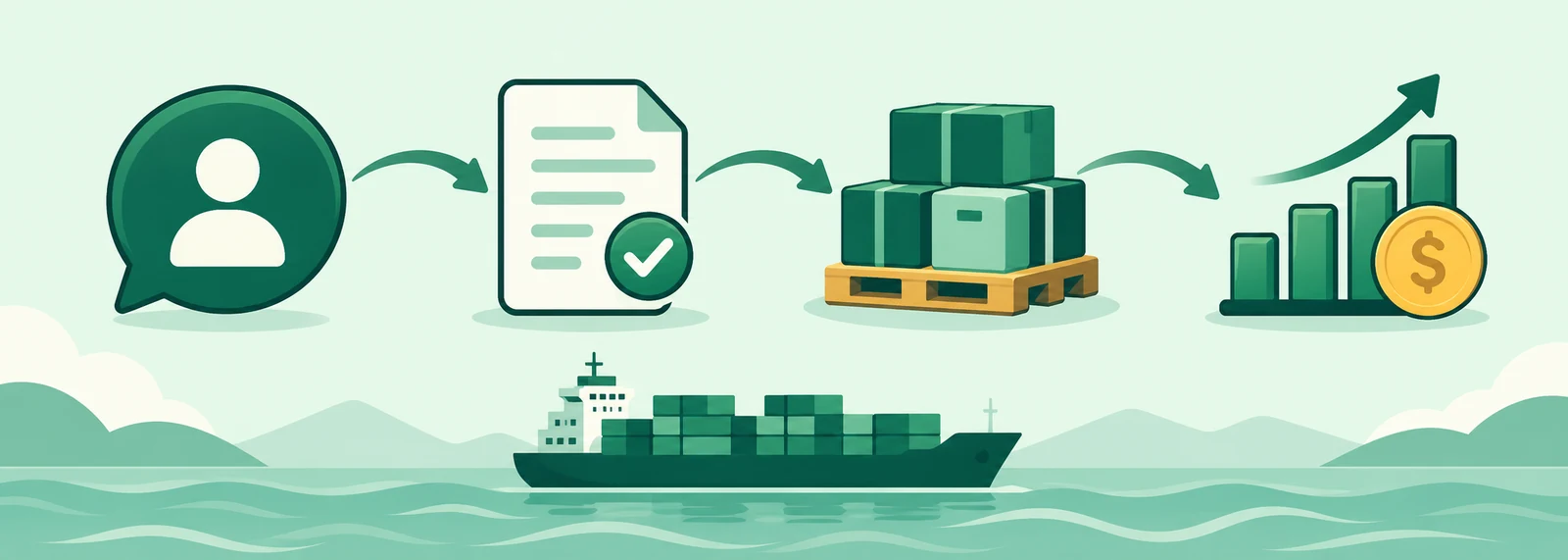 Workflow guide
What is freight CRM? Quotes, shipments & profitFollow customer inquiries, quotations, shipments, invoicing and profit.
Follow the workflow →
Workflow guide
What is freight CRM? Quotes, shipments & profitFollow customer inquiries, quotations, shipments, invoicing and profit.
Follow the workflow →
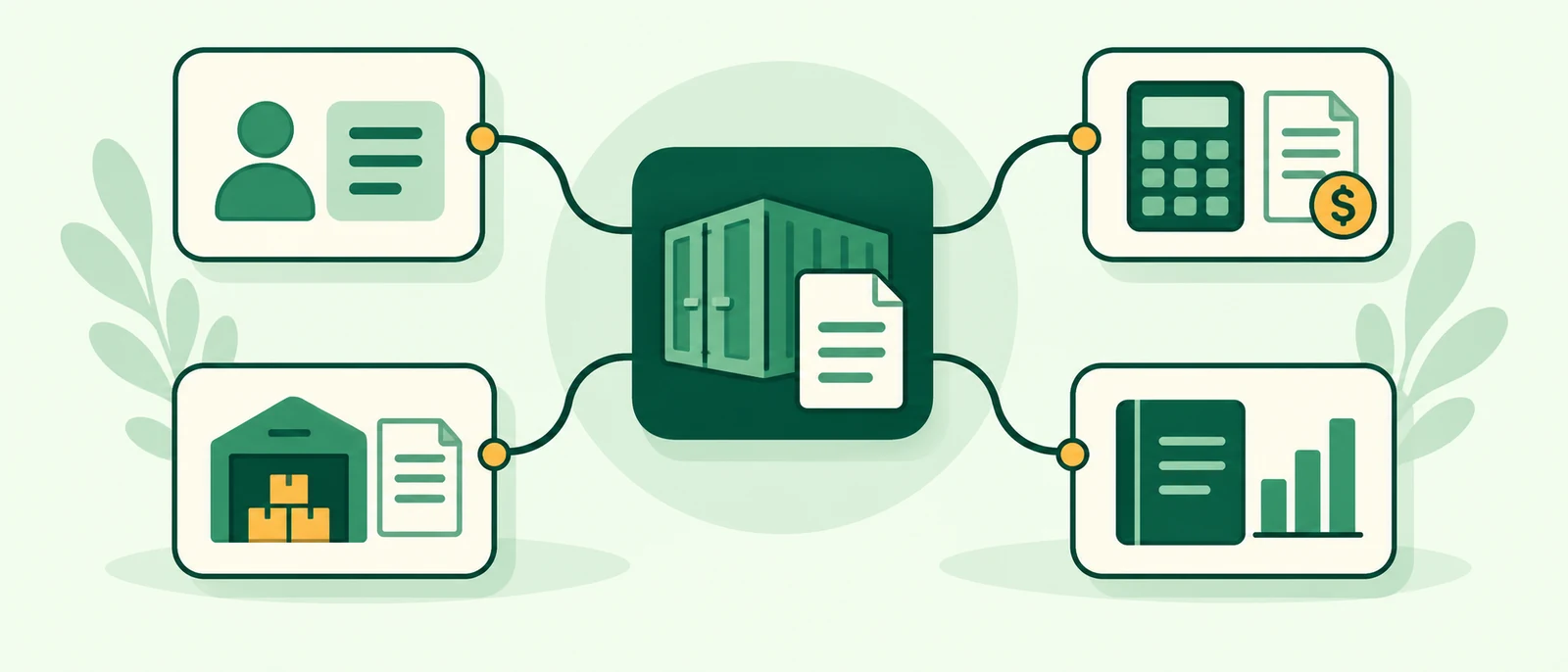 System map
Understand the freight software stackSee how CRM, TMS, FMS, ERP, WMS and quotation tools fit together.
Map the stack →
System map
Understand the freight software stackSee how CRM, TMS, FMS, ERP, WMS and quotation tools fit together.
Map the stack →
 Customer proof
Transparent Freight Services case studySee connected operations, documentation and customer visibility in practice.
Read the case study →
Customer proof
Transparent Freight Services case studySee connected operations, documentation and customer visibility in practice.
Read the case study →